Does Website Personalization Slow Down Your Site? Let's Bust That Myth.
You'll learn whether website personalization slows down your site, what causes flicker and page speed issues, and how GeoFli delivers personalized website experiences without slowing down your website.
Website personalization sounds great until someone asks the question that stops the conversation:
"Won't that slow down our website?"
It's a reasonable concern. Your website has been optimized, your team has worked on page speed, and you're trying to keep Google happy. Adding another marketing tool might sound like a step backward.
But here's the problem with that assumption: not all personalization tools work the same way.
You can make your website more relevant to visitors without sacrificing the experience you've worked so hard to build. Let's talk about why this myth persists, what actually affects site performance, and how GeoFli fits into the picture.
Why Do People Think Website Personalization Slows Down a Site?
The concern isn't completely unfounded. Websites can become slower when they're overloaded with poorly optimized scripts, oversized images, unnecessary plugins, and third-party tools competing for browser resources.
Personalization sometimes gets lumped into that category.
Think about how many tools the average website uses. Analytics platforms. Chat widgets. Advertising pixels. Heatmaps. Pop-ups. A handful of plugins nobody remembers installing.
When a website starts feeling sluggish, adding another tool can sound like the last thing it needs.
But the number of tools alone doesn't tell you how much they affect performance. What matters is what those tools do and how they're implemented.
A personalization platform shouldn't require you to rebuild your website, duplicate every landing page, or pile on unnecessary complexity just to show a visitor a more relevant headline.
That's the distinction worth making.
What About Flicker?
If you've ever seen a webpage display one headline before abruptly swapping it for another, you've seen personalization flicker.
It happens when a page displays its original content before a script replaces it with a different version. The visitor sees the change happen in real time, which can feel clunky and unpolished.
It's understandable that marketers want to avoid this. Nobody wants their carefully designed landing page looking like it's having an identity crisis.
But flicker isn't an unavoidable part of website personalization. It's a potential implementation problem, not a reason to avoid personalization altogether.
The same goes for the assumption that every personalized experience needs to delay the page while it figures out what to show.
With GeoFli, you can personalize your existing website without slowing it down. You don't have to sacrifice site performance to make your content more relevant.
The goal is to deliver a better experience to visitors, not make them wait for one.
Does Personalization Hurt Core Web Vitals?
Let's bring Google into the conversation.
Core Web Vitals measure aspects of the user experience that matter to website owners, including loading performance, responsiveness, and visual stability.
Google evaluates three primary metrics:
Largest Contentful Paint (LCP): How quickly the main content becomes visible. A good score is 2.5 seconds or less.
Interaction to Next Paint (INP): How quickly a page responds to user interactions. A good score is 200 milliseconds or less.
Cumulative Layout Shift (CLS): How much unexpected movement occurs as a page loads. A good score is 0.1 or less.
These are important metrics. But none of them says you shouldn't personalize your website.
A page can have performance problems for all kinds of reasons. A large hero image can delay loading. Excessive JavaScript can affect responsiveness. A banner that suddenly pushes content down the page can create layout shifts.
Those are the problems to solve.
Google's own Core Web Vitals documentation explains what these metrics measure and how to evaluate them. The takeaway isn't to avoid adding functionality to your website. It's to build and maintain a good experience for the people using it.
GeoFli lets you tailor your website's messaging to different visitors without slowing your site down. You can focus on making the experience more relevant instead of assuming personalization and performance are competing priorities.
How to Check Your Website's Performance
You shouldn't have to take anyone's word for it when it comes to website performance. You can measure it.
Here are three useful resources from Google to help you understand how your website performs.
Run your URL through PageSpeed Insights to see performance data, identify potential issues, and get recommendations for improvement. Where available, you'll also see real-user data from Chrome.
Understand how lengthy JavaScript tasks can affect responsiveness and what developers can do to reduce their impact.
These resources are useful whether you're considering personalization, reviewing your existing marketing stack, or simply trying to improve your website.
And if you're introducing a new tool, compare performance before and after implementation. Test the same pages under comparable conditions and look at the actual results instead of assuming the tool must be responsible for any change.
Why Personalization Is Worth It
Let's say you run a business serving customers across multiple states.
Someone visits your website from Montana. Another visitor arrives from Texas. They might have different locations, different needs, and different reasons for being interested in your business.
Why should they both see exactly the same message?
Or imagine someone clicks a paid ad promising a particular service, only to land on a generic homepage that barely mentions it. The ad made a specific promise. The landing page should continue that conversation.
That's where personalization becomes useful.
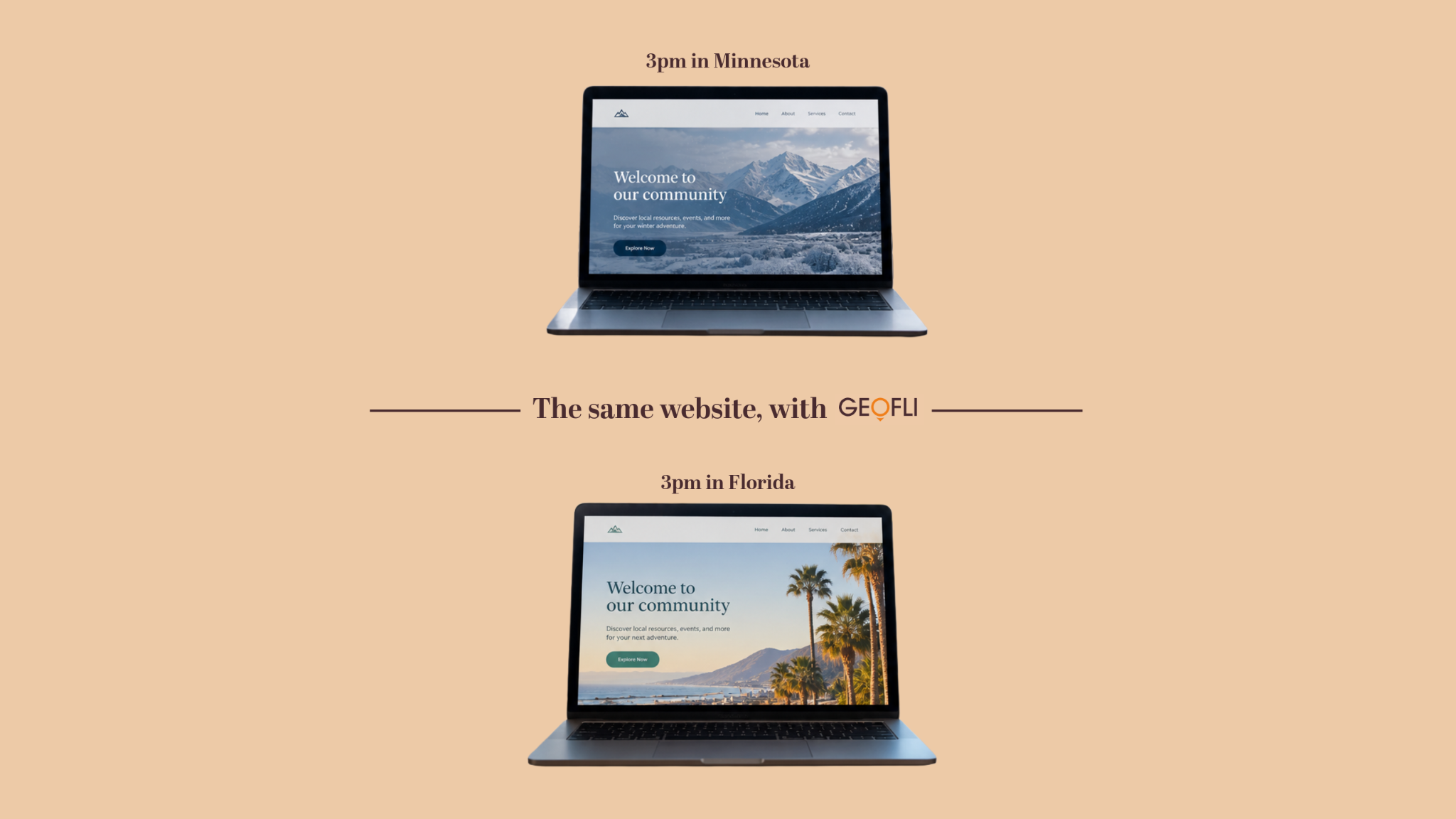
With GeoFli, you can tailor headlines, calls to action, banners, and other website content based on visitor location and other relevant signals. You can make your existing website work harder without building a separate page for every audience.
The point isn't to personalize everything. It's to make the parts of your website that matter most more relevant to the people seeing them.
And when your messaging better matches a visitor's needs, you create a more coherent experience from the first click to the final conversion.
Better Marketing Doesn't Have to Mean More Complexity
There's a broader lesson here: adding another tool to your marketing stack shouldn't automatically mean adding another problem.
As Pintler Group's approach to engineering as marketing explores, technology is most useful when it solves a real problem for your audience or business. The goal isn't more technology for its own sake. It's better outcomes.
The same principle applies to personalization.
You don't need dozens of landing pages, a complicated development process, or an entirely new website to make your content more relevant. You need a practical way to deliver the right message to the right visitor.
GeoFli makes that possible by helping you personalize the website you already have.
The Bottom Line: Personalization and Performance Can Coexist
Poorly implemented tools can affect performance. So can bloated scripts, oversized media, and unnecessary website functionality. But that doesn't mean every personalization tool creates those problems.
GeoFli lets you personalize your website without slowing it down. You can create more relevant experiences for different audiences while keeping your focus on what matters: a useful, responsive website that helps visitors take the next step.
Don't let an assumption keep you from making your website more effective. Measure performance, choose the right tools, and give your visitors a reason to feel like your website was built for them.
Because a faster website is great. A relevant website is great, too. You shouldn't have to choose between them.
Thank you! Your submission has been received!
Oops! Something went wrong while submitting the form.
What AI Crawlers and Googlebot See When Your Website Is Personalized
You'll learn what Googlebot and AI crawlers actually see on a personalized page, why your default content matters more than most people expect, and how to personalize a site without anything that resembles cloaking.
You'll learn what happens in the seconds after a searcher clicks your ad, how Google grades the page they land on, and why matching that page to what they typed can lower your costs and bring in more leads.
You'll learn what a geo-targeted sticky banner does, why persistent placement outperforms static content, and how GeoFli lets you show the right message to the right visitor without touching your website's code.